BlogJanuary 6, 2026My Workspace: The System Behind My Creative & AI Work
My Setup: Built for the Work I Actually Do
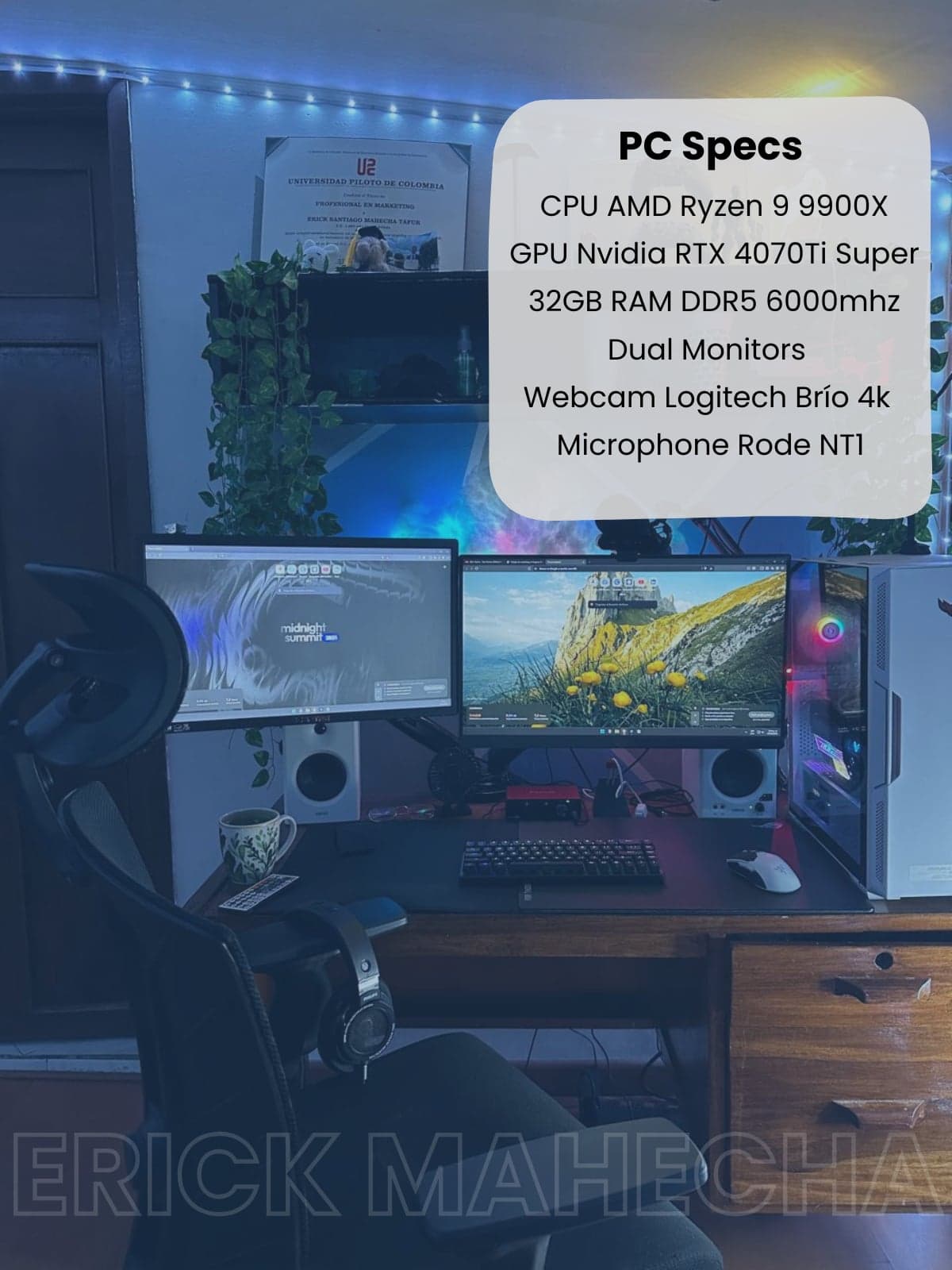
- CPU: AMD Ryzen 9 9900X
- GPU: NVIDIA RTX 4070 Ti Super
- RAM: 32GB DDR5 @ 6000MHz
- Setup: Dual-monitor setup
The RTX 4070 Ti Super handles DaVinci Resolve color grading and AI-assisted rendering without dropping frames. The Ryzen 9 9900X keeps multitasking fluid when I'm running editing software, browsers, automation tools, and AI platforms at the same time. 32GB of DDR5 at 6000MHz means large project files and heavy asset libraries don't slow down the workflow.
The dual-monitor setup is non-negotiable for the way I work: one screen for active production, one for reference, documentation, or communication. Context-switching without physically switching windows is a small thing that compounds into hours saved.
For voiceovers and on-camera content, I use a Rode NT1 microphone and a Logitech Brio 4K webcam. The NT1 is a studio-grade condenser mic that captures clean, professional audio without the need for post-production cleanup on every take. The Brio 4K handles video quality at a level that doesn't undermine the production value of the surrounding content.
When the voiceover isn't recorded live, I use ElevenLabs for AI-generated voice, which pairs with the Rode NT1 workflow depending on the project's needs and timeline.
The space itself is designed around one goal: sustained focus. Clean surfaces, controlled lighting, minimal visual noise. I work on complex, multi-layered projects that require long uninterrupted sessions. The environment is engineered to support that, not compete with it.
It's a simple principle: the less the space demands from your attention, the more attention you can give to the actual work.
How I Organize Everything: Notion